
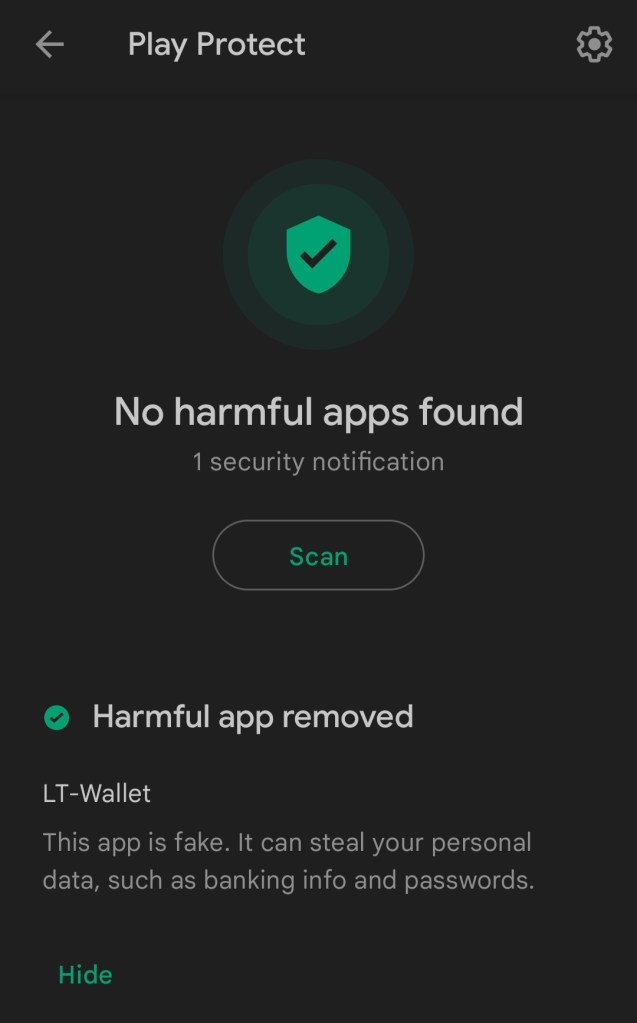
There are many questions in your mind. Why my LT-Wallet was removed by Play Protect?? Suddenly my LT-Wallet Application disappeared from my app gallery, Why?? You might got the notification like–
Google Play Protect: Harmful app removed
LT-Wallet
This app is fake. It can steal your personal data, such as banking info and passwords.
Today Google Play Protect Uninstall the LT-Wallet Application for violating the user policies & found harmful for the users. Sudden disappearance of LT-WALLET from your smartphone may shock you. This is due to removal of the app by Play Protect.
In the Official telegram group of LT-WALLET, the admin restricted users to send messages. So it’s become difficult for the users to discus the happenings.
Previous explanation given by the LT-Wallet Officials regarding disappearance of the application–
The APP in the Google App Store cannot be searched because they changed the developer account. Because of the 10th update, in order to limit those repeated downloads and create, maliciously bind invitation codes, and obtain a large number of LT coins, in this updated program In the process, the technical staff added a restricted code, which was wrongly determined by the Google review team that we violated user privacy. After negotiating with them, they must delete this restricted code in the program, so they need to re-modify the code and upload it again. At the same time they also hired IOS engineers, and put the Apple APP on the Apple App Store within two weeks.
Latest announcements from the side LT-Wallet team in their Telegram Channel
“Since the developer account is being replaced, it cannot be downloaded from the Google App Store. The APK installation package on the LT Wallet website is the same as the Google App Store, but it is not downloaded from the Google App Store, so the user’s mobile phone has a security reminder. If If you think this is risky, please do not install it. We have explained this problem many times. We will not reply to this problem later. Users who do not trust LT Wallet, please uninstall it immediately”
 Learn & Earn FREE Crypto